If you are interested in how to create an e-learning platform like Udemy, or a platform similar to Coursera, now is the time to do so while the market is in a booming phase and demand is not saturated.
How to Create an E-learning Platform Like Udemy and Coursera?.

The e-learning industry is booming. According to Orbis Research, this market will reach $ 275 billion by 2022 ($ 165 billion in 2015). Forbes predicts growth to $ 325 billion in 2025 ($ 107 billion in 2015). This impressive progress is driven by several key advantages of e-learning over traditional learning:
1. Availability. The Internet gives access to online courses from any device (computer, laptop, tablet, phone), so people can learn anything anytime, anywhere.
2. Profitability. Online learning is more cost-effective as there is no need for buildings, large bureaucratic and teaching staff, or other typical overheads; everything happens on the internet.
3. Flexibility. E-learning allows you to create personalized courses of any complexity, specialization, and for any audience. You no longer need a ‘one-size-fits-all’ approach. Moreover, online courses, unlike teaching in schools and universities, are not tied to a specific time or schedule, so people can learn at their own pace.
4. Reaching the audience. Online training is available to anyone with an internet connection. This is 50% of the total population of the Earth.
In addition, anyone can enter this market. The main thing is to offer people high-quality educational content and get users interested. It can be done even with small start-up capital. So if you are interested in how to create an e-learning platform like Udemy or Coursera, now is the time to do so while the market is in a booming phase and demand is not saturated.

E-learning platforms types.
Before we start to share how to develop your own e-learning platform from scratch, you need to decide on its type. Depending on the services offered, such sites are conventionally divided into six groups:
- 01
MOOC (Massive Open Online Courses).
They offer a variety of courses from various providers: teachers, professors, universities, governments, community organizations, etc. This model is most reminiscent of marketplaces like Amazon or eBay, where anyone can sell their product (training course) to anyone who is willing to buy it. Examples of MOOCs include Coursera, Udacity, edX, and Udemy. Many industries also have their own niche sites.
- 02
LMS (Learning Management System).
They offer basic functionality for creating courses, storing them, managing learning profiles, reporting on progress and achievements. At last count, there are now over 700 LMS platforms on the market, most of which specialize in corporate training. Some of them have advanced features that make it easier to repurpose content for an external audience.
- 03
Open source LMS platforms.
They are the same as regular LMS, only such sites are developed on the basis of open source software. That is, anyone can create their own platform on their basis or adapt one of its courses to suit their content and needs. Examples: Moodle, Sakai, Litmos, Claroline, DotLRN, BrainCert, and Open edX.
- 04
MLMS (Modern Learning Management Solutions).
They focus on the learner experience, using online course creation algorithms and learning management tools that maximize the effectiveness of the process (in theory). Some modern LMS sites rely on specific pedagogies. Examples: Motivis, Docebo, NovoEd and Totara.
- 05
LMS Ecosystem or Learning Management Ecosystems.
Such projects strive to use the best "point" solutions in the field of distance learning, uniting them into a single ecosystem. Example: Notre Dame's NeXus platform built on Open edX.
- 06
Custom Built Learning Platform.
Learning platforms fully adapted for specific solutions (courses, training programs). A good example is Harvard Business School Online (HBX), a dedicated platform built for Harvard Business School to deliver very high-end business certifications.
Best e-learning platforms.
According to research from Finances Online, which prepares reviews of business programs, the number of learning platform providers (LMS) for 2019 exceeded 1000. Before deciding whether your business should invest in acquiring or developing its own LMS, or choosing the right software solution for training, you need to study the ready-made solutions on the market.

The platform was founded by Stanford University computer science professors Andrew Ng and Daphne Koller in 2012. Today Coursera partners are more than 108 universities and organizations in 24 countries of the world, including Canada, Japan, China, France, Great Britain, Denmark and others. The platform offers 815 courses in 25 knowledge categories in 22 languages, including Ukrainian. It is one of the best online learning solutions for anyone looking to learn about things like STEM and data science. Initially, the service was designed to focus on science, engineering, technology, and mathematics. Now, of course, there are hundreds of courses available in a wide variety of fields.
A distinctive feature of Coursera is the ability to evaluate the work of other students, so there is no problem with the objectivity of the academic performance assessment. Communication between students and teachers is established through online forums, and within working groups. As of October 2014, the number of Coursera users was over 9.9 million.
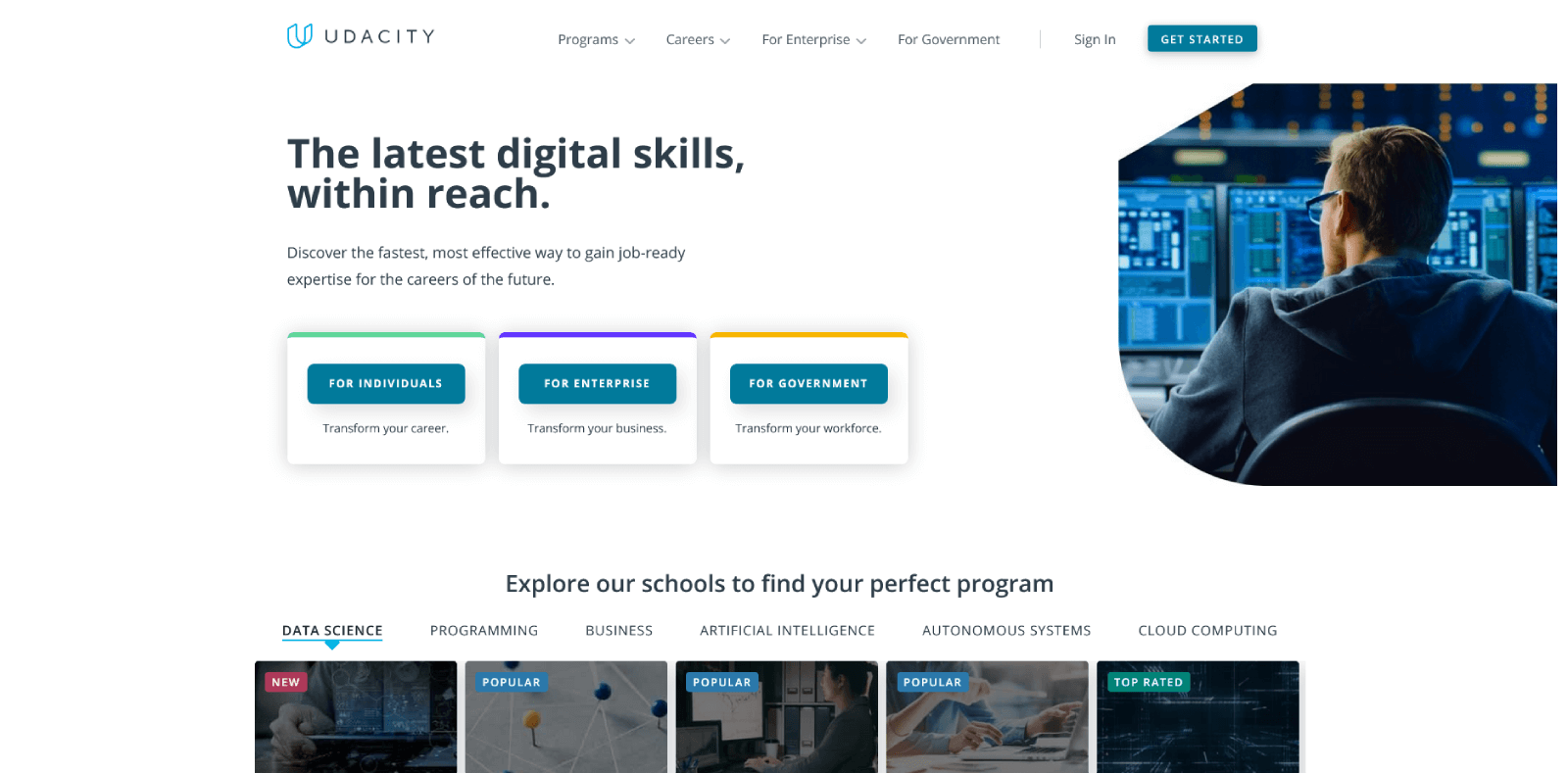
Udacity is an excellent example of a specialized platform offering courses from related fields of expertise, united by the general subject of "computer science". The platform was founded in 2012 by Sebastian Thrun, Michael Sokolski and David Stavens with the support of Stanford University. Today Udacity offers users more than 40 courses covering various aspects of software development, website building, technology start-up development, and more.
A special feature of Udacity is that the courses are divided into 4 levels of difficulty: "New To Tech", "Beginner", "Intermediate" and "Advanced". The training programs for the platform were developed in collaboration with more than 13 companies, including such giants as Google, Facebook, Nvidia, Salesforce, etc. The course consists of several video lectures, each of which contains a practical task to consolidate the acquired skills.
Upon completion of the courses, students receive free certificates signed by the teachers. The platform's website claims that the level and quality of the courses are sufficient to master a new profession and get a job. The only major drawback to Udacity courses is that they are available exclusively in English.
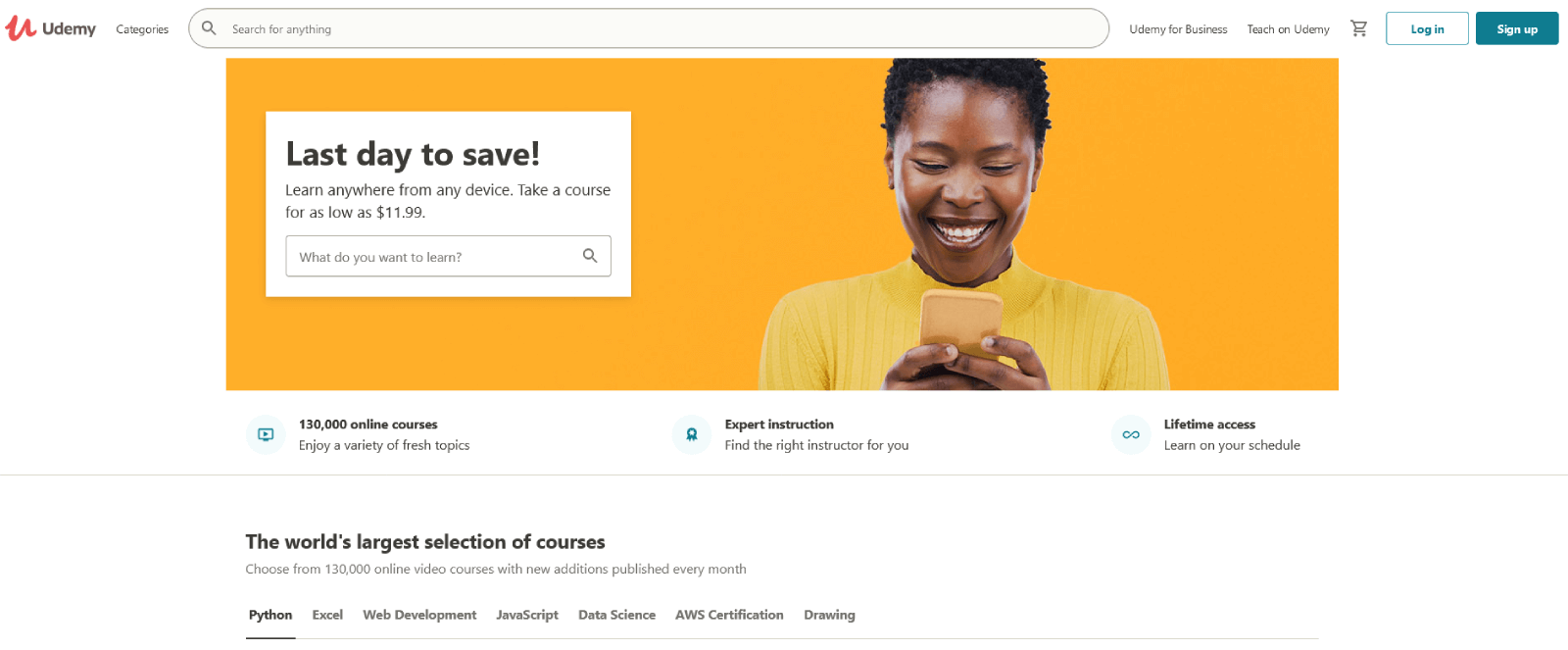
Udemy is an international online platform for educational purposes. On the basis of the service, more than 15 million students from all over the world study 65 thousand various courses annually. Udemy organizes courses in web technology, internet marketing, science, foreign languages, as well as design, cosmetology, psychology etc. The advantage of the online project is the opportunity to study absolutely free of charge (in each area there are several dozen free courses), however, paid classes cover more opportunities for obtaining a truly worthwhile profession. You can learn both on the Udemy website and in specially designed mobile applications for iOS and Android.
Courses can be short-term or long-term, high-priced or low-cost, homework-checked, or stand-alone. There are a lot of parameters. To choose the most suitable course, you need to enter the profession, hobby, program or skill in the search on the Udemy website and go to the page with recommended courses.After that the choice is based on the feedback from students who have already completed training.
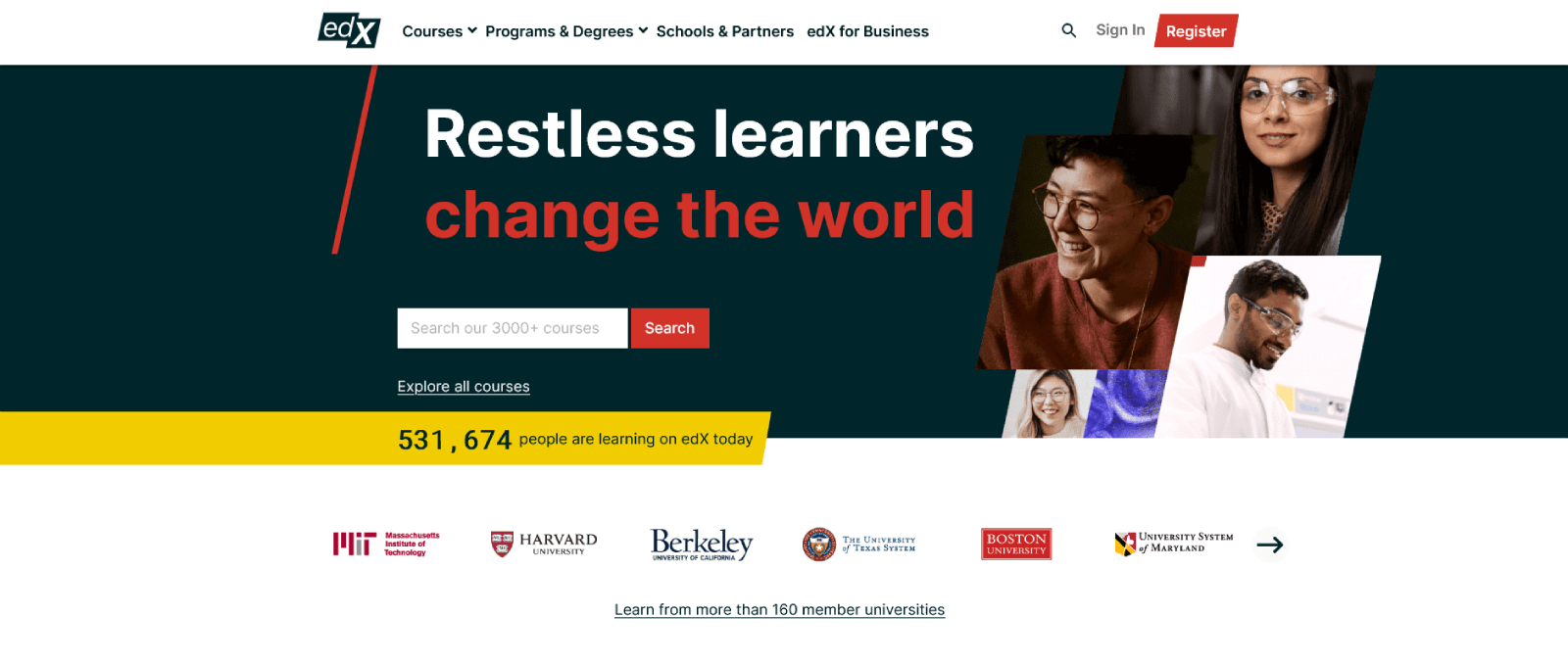
The platform was founded in 2012 at the initiative of the Massachusetts Institute of Technology and Harvard University. Unlike Udacity, edX is a free platform that offers courses in a wide variety of subjects, from computer technology to music. EdX partners with over 60 universities and organizations around the world, mainly in the United States and Asia. Today the platform offers over 320 courses in 28 categories of knowledge.
The system of control over the implementation of tasks depends on the course. Typically, each course has a start and end date for registration. Students will lose points for not meeting the homework and test deadlines. EdX courses typically feature a balanced mix of theoretical (lectures) and practical (essays, labs, etc.) assignments. A student who successfully completes the training program receives a certificate confirming the knowledge gained. As of July 2014, the number of platform users approached the 2.5 million mark.
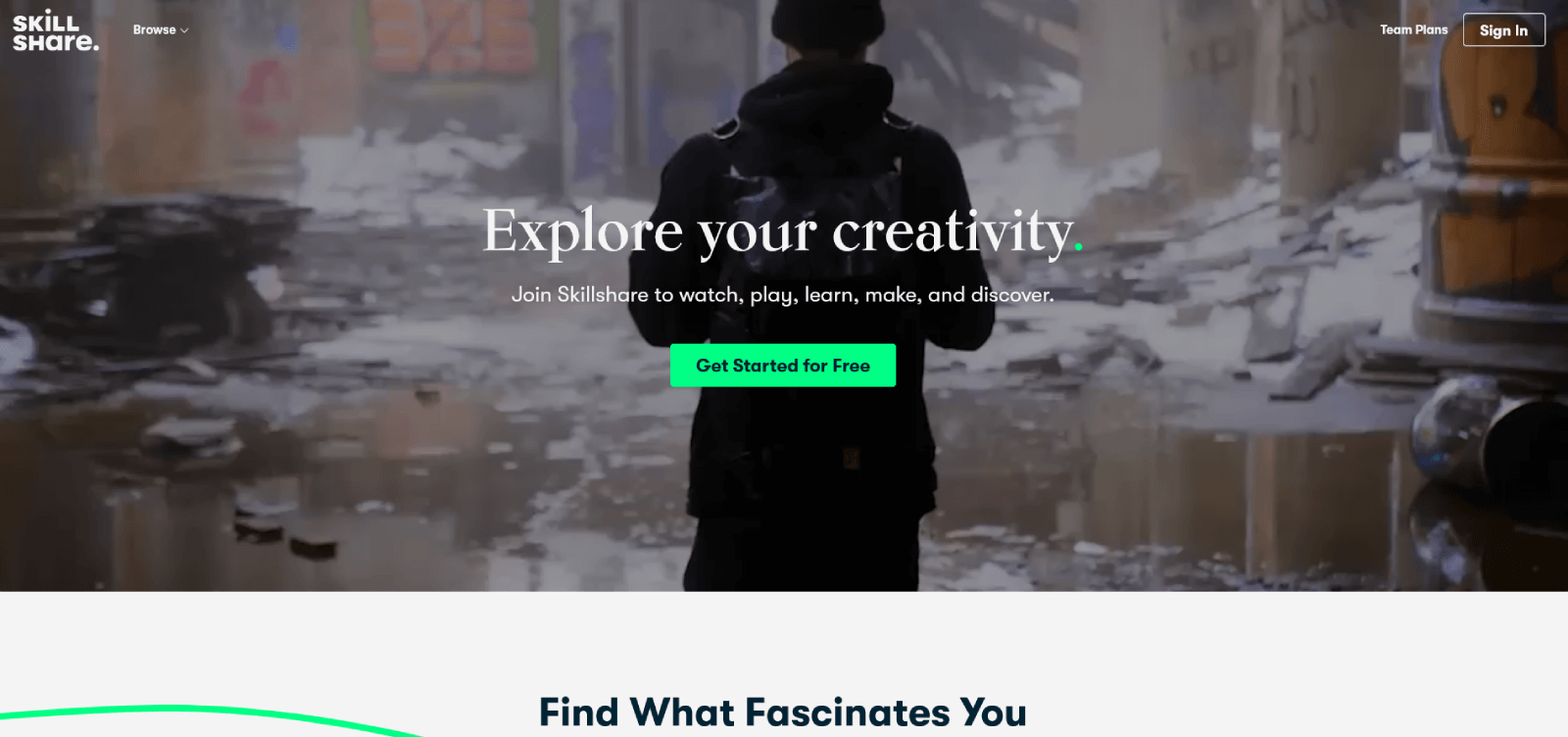
SkillShare is an online learning platform for creative people. The main categories of courses it offers are Arts, Design, Entrepreneurship, Lifestyle, Technology, and others. For those who are about to start or are already working with stock material, the most interesting subsections will be photography, graphic design, illustration, animation, audio and film production.
It has everything from small tutorials on creating fonts and brushes to developing entire projects. Most of the online courses offered by Skillshare focus not on lecturing, but on interaction between the teacher and the students.
Skillshare will be interesting not only for beginners, but also for professionals, this community offers the opportunity for anyone to share their experience with others and become a teacher. Create your own online classroom and earn money from training. If you believe the tempting advertisements on the site, top teachers can earn up to $40,000 per year!
E-learning platform features.
Before answering the question how to build an e-learning platform like Coursera, you should know the basic features that must be present in your platform. Creating an e-learning platform should include three user roles:
1) an administrator who manages the site and solves problems;
2) an instructor (teacher, tutor) who creates courses and manages training;
3) and a student who learns, receives grades and a certificate confirming the course.
For this to be possible, when creating the platform you should implement the following features:
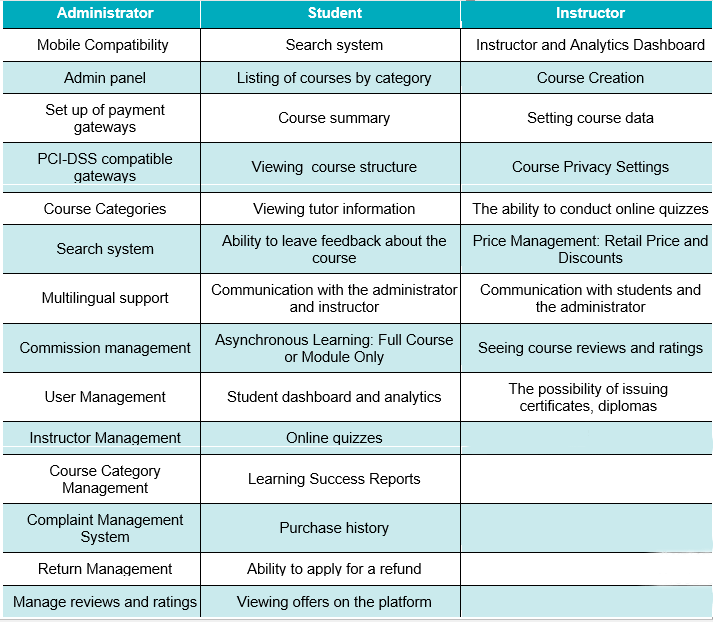
App For Administrator.
- Mobile Compatibility
The mobile version of the site allows users to work with several versions of the site - for desktop and mobile devices. In development, they often use an adaptive approach - with flexible front-end settings for convenient display on different screens.
- Admin Panel
The admin panel for the site allows you to manage project settings, add new pages and delete old ones, change the external design of the resource and edit content.
- Set Up of Payment Gateways
A payment gateway is a service that authorizes and processes debit / credit card payments for users of your platform. The payment gateway facilitates the smooth flow of such transactions by encrypting sensitive data and transferring it between the payment portal (website or mobile device) and the bank / payment processor.
- PCI-DSS Compatible Gateways
In order to have a guarantee of the safety of keeping their customers' money, international payment systems, such as VISA and MasterCard, require merchants and various service providers that accept payments through these payment systems to comply with the PCI DSS standard. Payment Card Industry Data Security Standard is a set of requirements for ensuring the security of data about payment card holders that are stored, transmitted and processed in the information systems of organizations.
- Course Categories/ Course Category Management
The correct structure of the course catalog is important for both the user and the search engines. Simple and convenient navigation allows the user to find quickly the information he needs. The correct structure of the course catalog will avoid a large number of duplicate pages, which will save time and money for promotion.
- Search System
A good search on the site is especially important for large online training portals with a huge amount of content: without a search, it is much more difficult for a user to get to the information of interest. A visitor who visits the site for the first time does not have the desire and time to delve into the structure of menus and submenus, navigation bars and other similar elements - they will immediately go to look for a familiar search line. If there is no search at all or it does not return pages upon request, the user will most likely leave the resource.
- Multilingual Content & Support
Multilingual content and support is a website that is tailored for users from different countries. The presence of high-quality translated versions of the site speaks of the high level and purposefulness of the company, its concern for users, and also allows you to tell a wide audience about its advantages, technologies, courses and services.
- Commission Management
Commission management helps you shape the behaviors you need and increase your bottom line, while ensuring transparency, accuracy and maximum return on commission payments.
- User Management
User account management and administration systems are a combination of administration and analytics technologies that provide an effective framework for authentication and authorization in your online learning platform. Thus, user management is a fundamental part of the overall IAM (Identity and Access Management) strategy and solutions.
- Instructor Management
Instructor Management is a software application for administering distance learning courses. Course leaders are free to determine how content is delivered, what the materials look like, and how they are evaluated.
- Complaint Management System
Competent reception of complaints and their technical processing is now even rarer. Although complaint management starts not in computers, but in the minds of people, the most important prerequisite for a well-structured complaint management is the integration of modern technology into all production processes.
- Return Management
To manage returns effectively, businesses should view this activity as an integral part of overall management, rather than a last resort in an isolated business process.
App For Student.
- Smart Search System
In most cases, when a user visits your e-learning site for the first time in search of something important, he will not understand navigation bars, drop-down menus and other navigation elements, but in a hurry will try to find something similar to a search bar. And if this luxury is not on the site, or it does not cope with the search query, then the visitor will simply close the tab.
- Listing of Courses by Category
Both categories and sections in the structure of an online education site are simply necessary, because they will do important work: they group your materials and courses according to different criteria. You can sort the categories of ads as you like - by creation time or by name, by update time, by ratings of impressions on the site, or in any order.
- Course Summary
Course Summary is a section of the platform that contains a brief description of the future course: which sections it consists of, what will be taught after the end of the course, how long the course takes, briefly about the course author, etc.
- Ability to Leave Feedback About the Course
More than 70% of users read reviews of other people before making a purchase of a course. User reviews have a positive effect on conversion rates and are simply a must for any modern online learning platform. If you want to take a leading position in the market and build a good reputation for yourself, you should invite your customers to leave reviews on your online learning site.
- Communication With the Administrator and Instructor
For a successful business on the Internet, creating a website and promoting it is not enough. In a highly competitive environment, potential buyers prefer online training platforms, which have the ability to communicate with the administrator and the instructor, they can ask any question of interest. That is why the resource needs a feature that will allow you to contact the administrator and instructions, guaranteeing the site's operability and availability.
- Asynchronous Learning: Full Course or Module Only
Asynchronous distance learning is a format in which contact between a student and a teacher is carried out with a time delay. Usually, the teacher prepares and structures the materials for study in advance, and the students access and study them, as a rule, on a free schedule.
- Student Dashboard and Analytics
Student dashboard and analytics are needed to make it easier for students to track their progress. In this section, the user sees the purchased courses, the level of progress of the course, the time spent on the course, statistics on the learning rate, etc.
- Purchase History
Purchase History is a list of all courses that the user has ordered in the past. It includes the specific courses that were purchased, their cost, and information about when the purchase was made. Order history gives you the opportunity to find trends and maximally personalize marketing activities aimed at a particular customer.
- Ability to Apply for a Refund
There are situations when a user first buys a course, then decides that they do not need it or that the course does not correspond to their idea and then contacts you with the aim of refunding. According to the legislation of different countries, a consumer can make a return of his purchase within 7-14 days. You must consider this fact.
App For Instructor.
- Analytics Dashboard
In the teacher dashboard, you can customize the metrics you want to track. Standard metrics are: users and new users, income, income per user, number of purchases, average bill, number of courses taken, best-selling courses, etc.
- Course Creation
In this section, instructors have the opportunity to create their own course. The software allows you to collect a certain knowledge base in the system, structure it and conduct full-fledged distance learning online. Lesson topics can be very diverse, including theoretical and practical parts, texts and videos, testing and certification, game elements and homework, progress control and statistics.
- Price Management: Retail Price and Discounts
In this section, you can change prices at any time, create promotional offers or discounts.
- Communication With Students and the Administrator
As we mentioned above, the teacher should also be able to contact the students and the admin to be able to ask the necessary questions and solve any arising problems.
- Seeing Course Reviews and Ratings
In this section, instructors have the opportunity to create their own course. The software allows you to collect a certain knowledge base in the system, structure it and conduct full-fledged distance learning online. Lesson topics can be very diverse, including theoretical and practical parts, texts and videos, testing and certification, game elements and homework, progress control and statistics.
- Course Creation
This section is important so that every instructor can read and analyze feedback on the course and improve it.
The listed functions are enough for your site to fulfill its main tasks. But if you want to stand out from the competition and get closer to the market leaders, you will also need a unique user experience that can be implemented with the following features:
Gamification. It's about creating websites like Udemy that stimulate the dopamine reward systems in the student's brain. Dopamine is a neurotransmitter responsible for feelings of pleasure and anticipation of pleasure in learning, gaining new knowledge, achieving goals, and many other activities. To maximize the effectiveness of learning (dopamine response), you need to build learning in the form of a game. How dopamine reward systems work can be found in the Kelly McGonigal book "Willpower. How to develop and strengthen”.
Artificial Intelligence. In addition to gamification, we also use deep neural networks to optimize learning. And they are not the only ones. For example, the other day in China a large experiment that will help understand how AI can improve teaching and learning was launched. Initially, Chinese AI will test students and suggest learning models according to their current knowledge. Next, scientists want to tune AI to develop personalized courses.
VR and AR technologies. Virtual and / or additional reality is the best way to show how mechanisms work, buildings are built, what is inside the human body, etc. In addition, these technologies allow the creation of muscle memory, which is very important for many professions - from the military to medical professionals.
How to build an e-learning website?
- 01
Analytics
Building an e-learning platform should be started by defining your target audience and analyzing your competitors. It is important for a website owner to understand their target audience, their needs and pains. Then he will be able to adapt his site to their interests and get his own benefit from this. It is worth finding answers to the questions:
- who is the e-learning platform for?
- what are the preferences of your potential customers?
- what information will be useful and interesting for them?
- what communication channels do they use?
Review your direct competitors, study their solutions, find advantages and disadvantages. And then use it for your own purposes. Define your advantages, your zest, which will distinguish you and show you in a favorable light.
- 02
Creation of technical specifications
An extremely important step. Errors are unacceptable here, since they can appear at any stage and, as a result, throw the project far back. The TK prescribes the main requirements of the project, its capabilities and way of working, taking into account the analysis of the target audience and competitors, goals and strategy. In fact, the previous stage is carried out in order to draw up a high-quality technical specification and transfer it to specialists.
Basic requirements for the terms of reference:
- Detail. Everything that a specialist must do must be indicated in the TOR. Even if it's a required part of the job, even if the developer has done it hundreds of times and doesn't need a reminder. Every requirement, every aspect of the work should be prescribed.
- No inaccuracies. Any ambiguous wording or subjectivity has no place in the terms of reference. This is an instruction that says what and how to do, but the concepts: “good”, “beautiful”, “catchy” are different for everyone.
- Understandable language. Correction: understandable for a specialist. This means that a specialist does not have to decipher and ask again what exactly they want from them.
- 03
Prototyping
For clarity, a prototype is created with detailed layout and navigation. The latter requires special attention. Too many sites are built without regard to ease of navigation. The user at the first contact with the product must understand how to use it.
The designer primarily provides the usability of the interface. All elements on the page should be positioned in such a way that the user can easily find and use them. With the help of the arrangement of information blocks, the designer controls the visitor's attention, demonstrating to him what he should or wants to see at the moment.
- 04
Effective UX / UI design
The design of the eLearning platform should be simple and contain colors that motivate learners to learn, keep them focused and not distract from anything (ads, other courses, pop-ups, etc.). For design development, it is best to hire a specialized agency, but if you want to do everything yourself, then remember the following things:
Hick's Law: The more options there are, the more time it takes to make a decision. Good designers keep this in mind and therefore don't give the user a lot of options to choose from. When you can't do without it, the choice comes down to several stages with 5-7 options.

Miller's Law: a person can store up to 7 information entities in memory. Following this law, designers began to group lists into groups of 5-7 units.

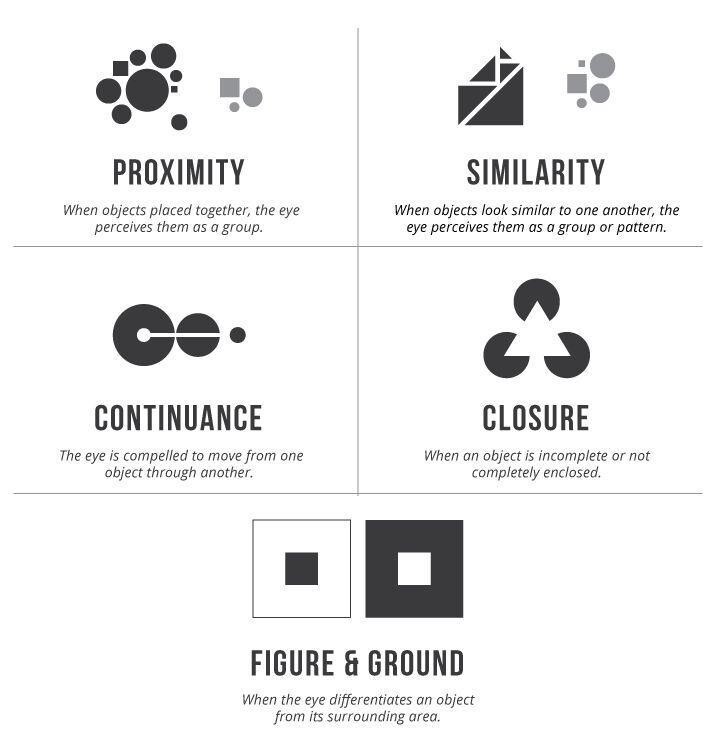
Gestalt theory: The human brain tends to recognize structure, logic, and patterns in what it sees, and tends to combine many small objects into a large group. It helps process information, build visual hierarchy, and enhances crawlability of content. The main features by which the brain groups objects are as follows:
Von Restorff Effect / Isolation Effect: When there are several similar objects, the one that is different from the others is more likely to be remembered. In UX design, this effect is useful for highlighting important information, as well as for enticing users to take a specific action.

Psychology of Colors: People tend to associate colors with certain emotions and actions. So, blue is associated with trust, red - aggression and importance, green - harmony and nature, orange - friendliness and kindness, pink - sensitivity and hope, purple - power and superiority. White and black have many meanings depending on the context.
- 05
Layout
After completing the work, the designer sends the layout for approval to the customer and only then sends it to the adaptive layout. It involves translating sketches into HTML, that is, adapting the site image for any browser and device (PC, tablet, smartphone and other gadgets).
This is exactly the case when "measure seven times, cut one." It is better to draw the design of the site 7 times and once - to make it up in HTML, than to send the first version for the layout, and then endlessly make edits and retype. And here the customer must be attentive first of all. It is he who approves the concept of the site. The more actively the customer participates in the design discussion, the more likely thay will receive a platform like Khan Academy that meets his expectations.
- 06
Programming
Why Programming? It seems that the designers have already drawn everything, the layout designers have translated the sketches into HTML - they have adapted the site layout for the World Wide Web. What's next? And then a programmer enters the scene and brings the pictures to life. It is better to explain here using the example of the call button. The designer made it rectangular and green, and placed an inviting slogan in it. All this is good. But you need to make the button active! So that the visitor immediately gets to the cherished ticket booking page, and does not fight in hysterics, seeing that a miracle does not happen from a mouse click.
In general, a programmer is the one who prescribes all site attributes made by the designer and assembled by the layout designer in a specific programming language (PHP, Java, JavaScript, Python or ASP.NET technologies).
Sometimes the stage of layout and programming is performed simultaneously. If, of course, the scale of the project allows.
- 07
Testing
Although after each stage of development, the resource is checked for "works - does not work", you cannot do without final testing. What if a broken link is lost somewhere, information is displayed incorrectly, or a pop-up window does not pop up on the screen? Various flaws are revealed during testing and the team immediately eliminates them. As a rule, for testing and demonstration, the site is placed on a special site. Later, when all the errors have been eliminated, the project with all the files is transferred to its permanent place of registration on the Internet - hosting. But that's not all. After migration, the resource is tested again.
- 08
Technical support
When transferring a finished platform similar to Udemy, specialists teach how to work with the administration panel, as well as with statistics collection services. After that, the owner can completely independently publish new content, create pages, post products, collect data for analytics of behavioral indicators and use the rest of the resource's functionality. If you have any questions, the development company is always ready to help you figure it out. The same applies to bugs, if they suddenly appeared after the release of the site - the technical support team will immediately fix them.
E-learning platform development costs
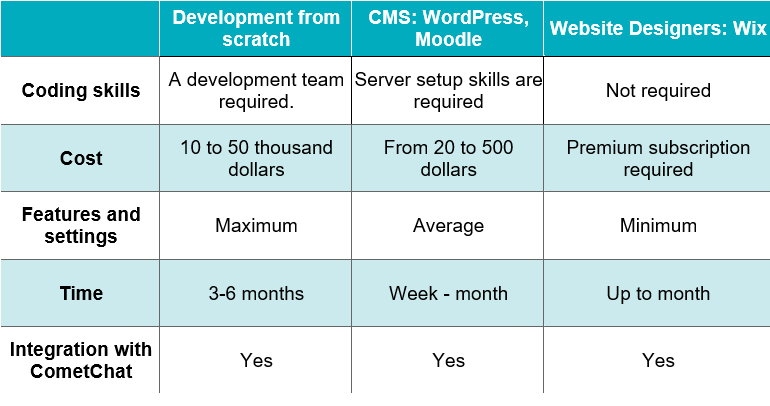
In 2021, given the high competition in online learning, it takes a lot of time and money to develop an high quality e-learning website like edx. Usually, not everyone needs to build an e-learning website for hall the world with different learning streams. Often you just need platforms for training your own employees, or a group of people in one or another narrow direction. How you plan to use the online platform will show you the cost of developing an application.
E-learning web development costs such as Udemy or Coursera depends on many factors. You can calculate the approximate cost and time you need for development in an Online Calculator by selecting all the features you need.
Final Thought
E-learning becomes more and more popular every year, so your site will grow and acquire a new audience. Don't waste your time. If you have something to tell people, look for a domain, create an e-learning website and share your knowledge with the whole world.
And Geniusee dedicated team, which already has experience in developing such platforms, will help you with this. Fill out the form and let's discuss your idea together :)




X